



Encompass users can now experience no-touch document processing, even entire loan packages, in under 10 minutes.
AI-orchestrated workflows for modern financial institutions
Kizen is a flexible enterprise AI platform built for regulated financial institutions, where people and AI operate as a single, accountable unit.
- Human review built in
- LOS, core banking, and CRM integrations
- SOC 2 Type II and ISO 27001 compliant
Outcomes that pay for the platform
-
80%
Manual time savings per loan
-
5-7
Days faster closings
-
2.5x
Increase in capacity
Trusted by industry leaders to optimize mission-critical business processes.
Introducing
Encompass LOS Integration
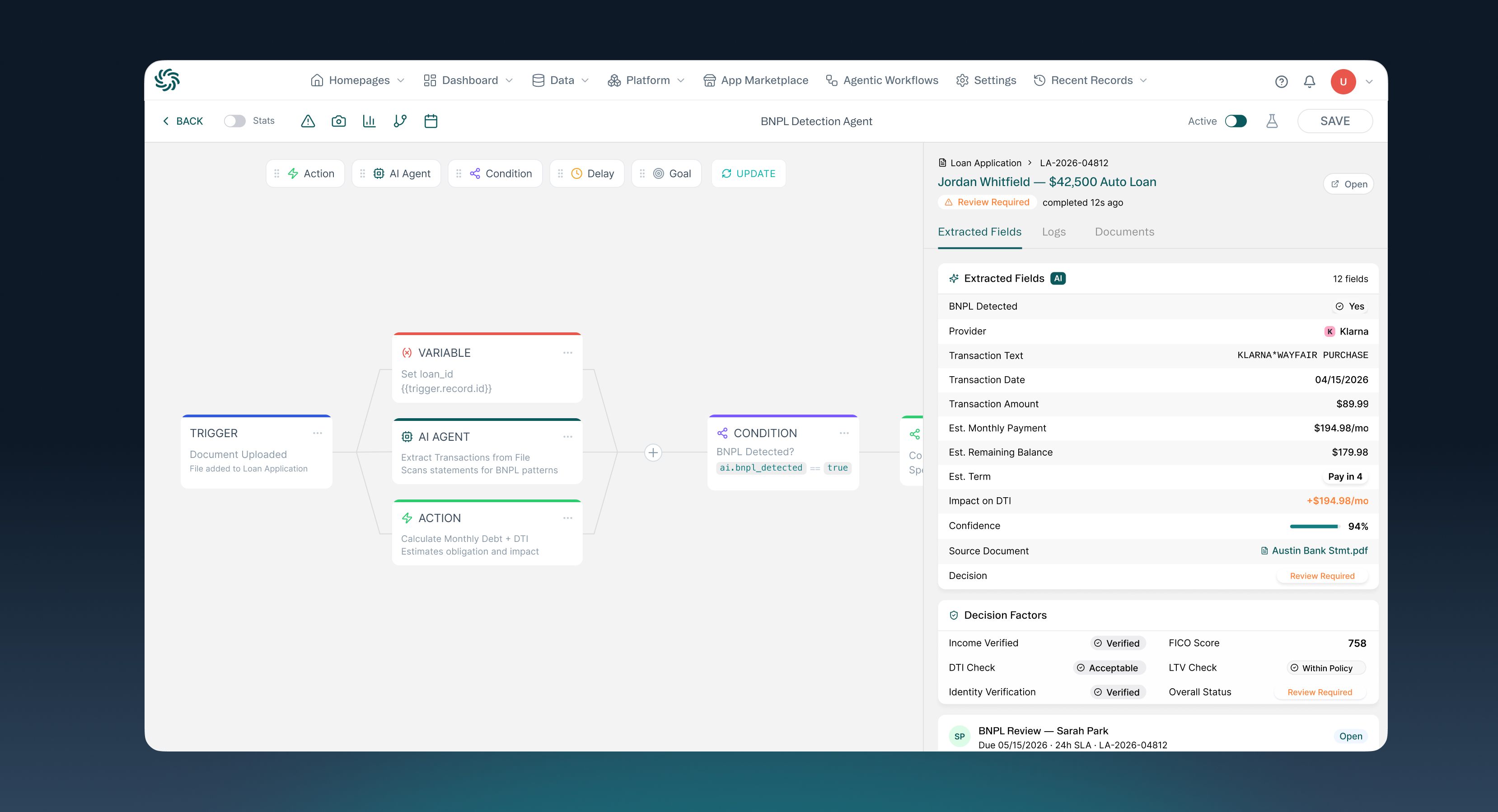
- As documents are uploaded to Encompass, API integration with Kizen kicks off document orchestration agents
- User experience is completely within Encompass
- Kizen automatically identifies and splits consolidated PDFs
- Documents are classified and routed to e-Folders
Solution paths
Every part of the financial workflow lifecycle
Start with one high-value workflow, prove the operating lift, then scale across adjacent financial operations.
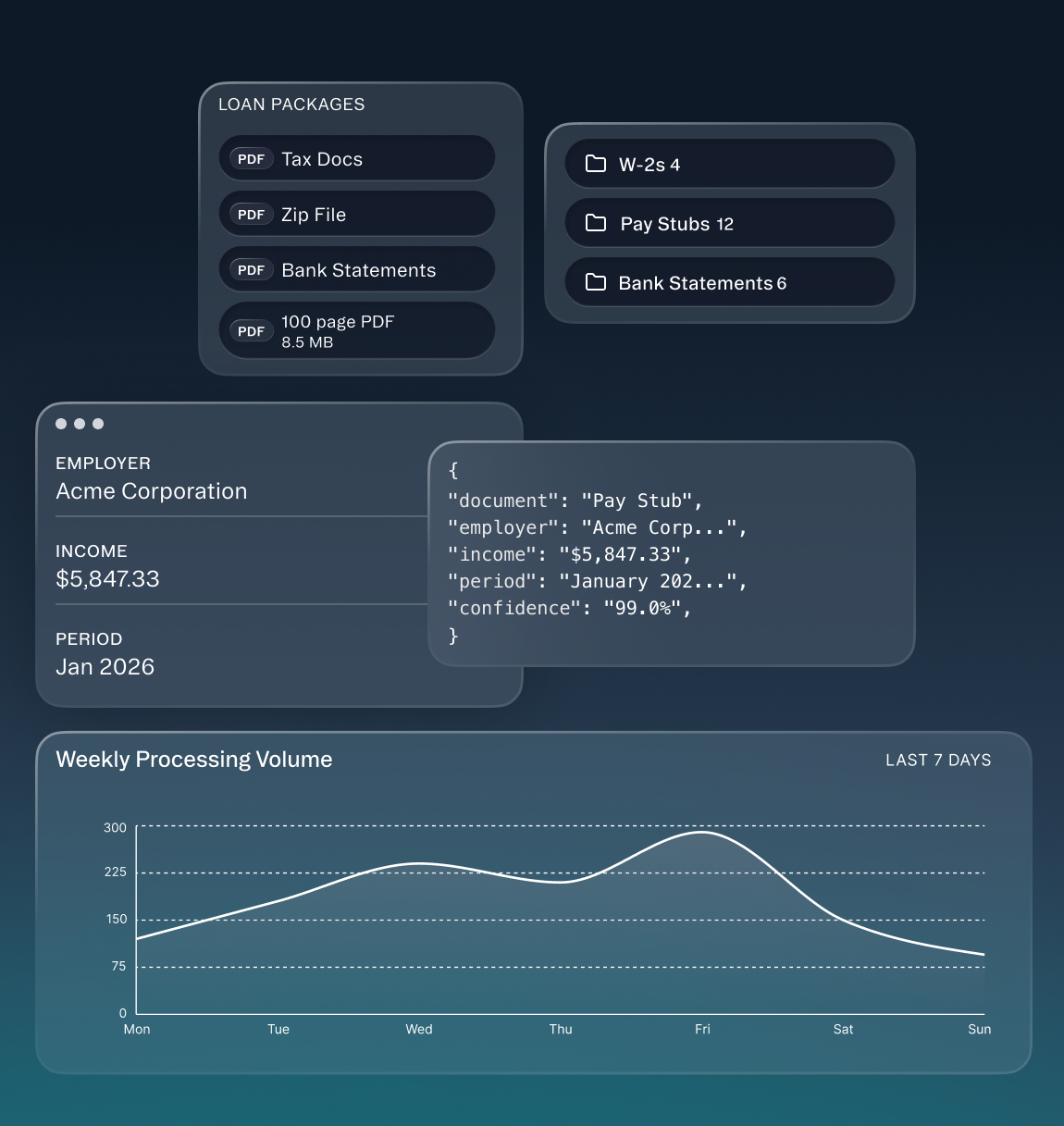
Mortgage Lending
Automate loan package intake, classification, extraction, and routing.
Connect document intelligence to Encompass or other LOS environments, flag low-confidence items, and keep specialists in the approval loop.
-
5x
peak capacity
-
60%
lower cycle time
- Document intelligence
- Income checks
- Fraud checks
- Consumer portals
Banking
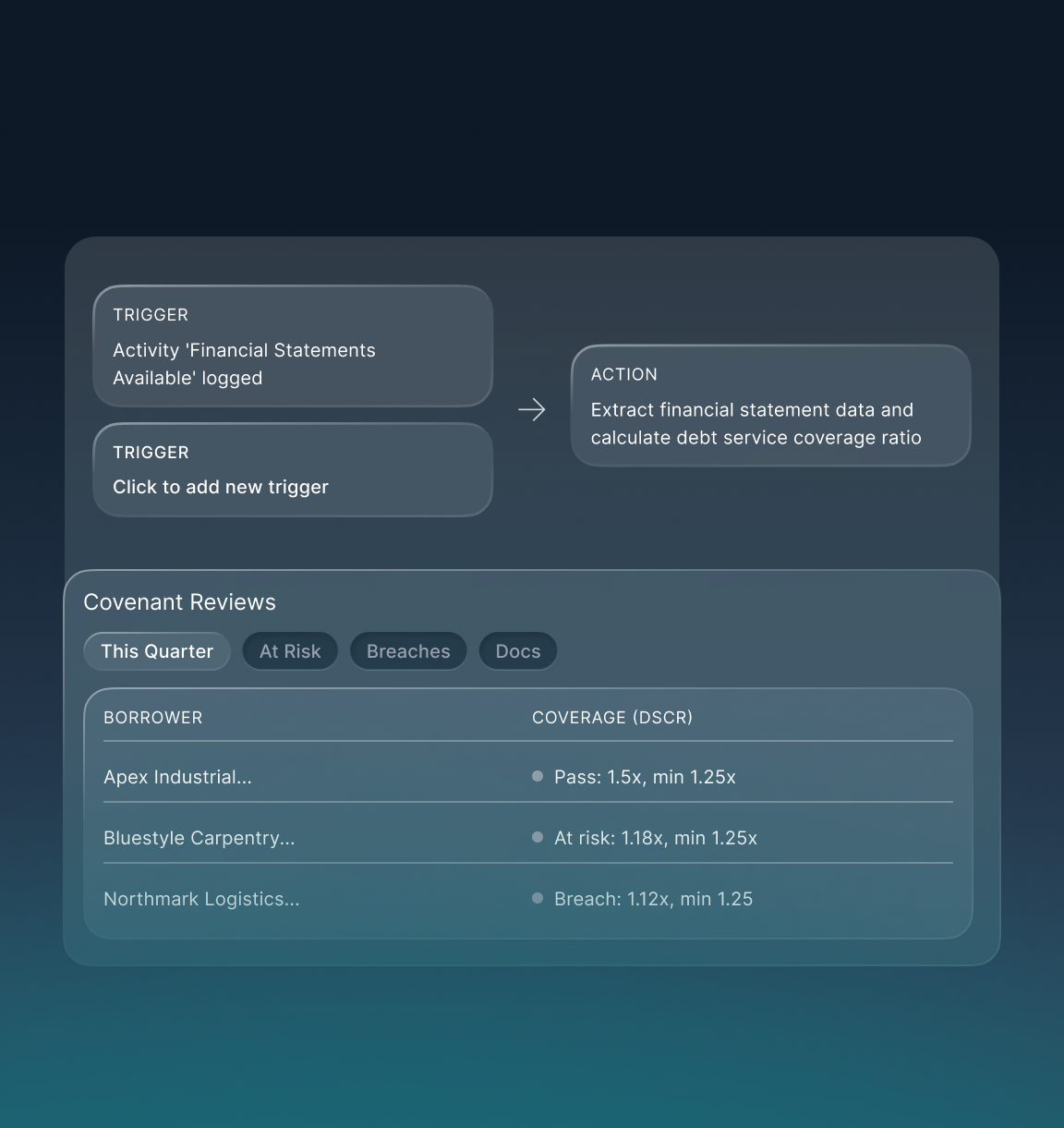
Turn borrower financials into structured data and review-ready credit work.
Accelerate spreading, covenant monitoring, and credit memo preparation while preserving review evidence for risk teams.
-
70%
faster reviews
-
4x
statement capacity
- Financial document intelligence
- Covenant monitoring
- Banking underwriting
- Credit memo support
Credit Unions
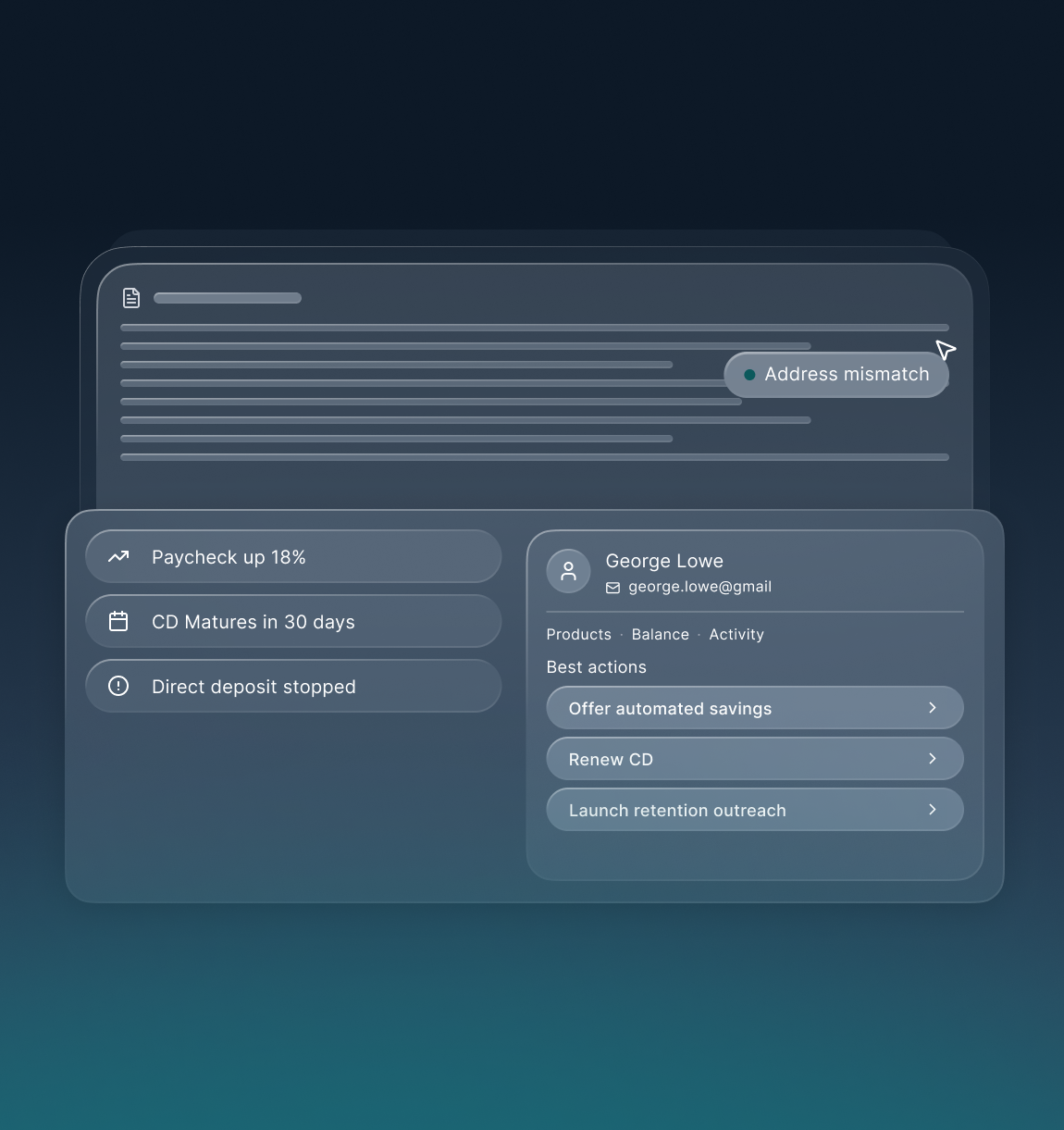
Unify member profiles, improve account opening, and trigger next-best actions.
Give member-facing teams a clearer relationship view and reduce handoffs across CRM, deposit, and service workflows.
-
3x
cross-sell lift
-
45%
lower dropoff
- AI-native CRM
- Account-opening automation
- Deposit operations intelligence
- Member journey triggers
Packaged solutions
Packaged solutions for financial teams
Specific starting points make the first proof of value faster and easier to scope.
Mortgage operations
Encompass Document Classification & Indexing Agent
AI loan workflow automation around Encompass, with document splitting, e-folder routing, and human review.
Lending teams
Underwriter CoPilot
AI-native origination support for document review, income checks, exception routing, and credit memo preparation.
Member and customer teams
AI-Native CRM
Unified customer and member intelligence for relationship growth, cross-sell triggers, and proactive outreach.
Capabilities
AI agents that power every lending workflow
Specialized AI agents work together to classify documents, extract critical information, validate accuracy, and compare data across sources, helping teams process loans faster with greater confidence.
Classification Agent
Automatically identifies, categorizes, and organizes incoming documents into the appropriate loan package structure.

Extraction Agent
Extracts key borrower, income, employment, and financial data from complex documents with high accuracy.

Validation Agent
Verifies extracted information, detects missing or inconsistent data, and flags exceptions for review.

Comparison Agent
Compares information across multiple documents to identify discrepancies, validate consistency.

Frequently asked questions
What are some of the most common ways that banks and lenders use Kizen? Three high‑ROI areas:
- Consumer and mortgage lending: Classify, extract, and analyze loan packages in seconds.
- Commercial banking: Turn financial statements into clean, auditable data and monitor covenants at scale.
- Retail and deposit operations: Unify fragmented interactions and speed account opening with AI‑assisted document intake.
How is data secured?
- SOC 2 Type 2 controls
- ISO 27001 compliant information security management
- Data encrypted in transit and at rest
- Role‑based access control and field‑level permissions
- SSO support
- Detailed audit logs for every AI agent action
Does Kizen train models on client data?
No. Kizen never trains on your data. You can use your own LLM accounts or have usage passed through your instance with the correct privacy settings. Either way, your data stays your data.
Can Kizen integrate with legacy banking or lending systems?
Yes. Through secure APIs and SmartConnectors, Kizen connects to core banking, LOS, and CRM platforms, providing real-time data synchronization and process automation without major infrastructure change.
For document extraction, how does exception handling work?
Each extraction includes a confidence score. You set thresholds. Below threshold items are routed to humans for review, with page‑level citations and audit trails. Teams can correct and approve in minutes.
Can we deploy in our cloud or on‑prem?
Yes. Options include Kizen’s multi‑tenant cloud, private cloud, or on‑prem. Many clients start in our cloud for speed, then decide if a private deployment is needed.
How do we get set up with Kizen?
There are two paths:
- We build together: Kizen can implement 1 to 4 priority workflows with your SMEs, then train your team to run and expand.
- You build with our support: Use pre‑trained agents and low‑code tools, and call us when you want help.
How do we get started without a long IT project?
Start small and modular. Many banks begin by automating a single high-value workflow, like loan package intake, account opening, or financial statement extraction, without ripping and replacing core systems. Kizen connects through SFTP, API, or simple file drops, so you can stand up a production workflow in weeks, prove ROI, and expand across departments on your own timeline.
Ready to build the future?
Join the leading enterprises using Kizen to transform their operations with intelligent agents.